Canal Lock Sequencers
A PLC-controlled canal lock using SQI and SQO sequencers, with an interactive simulator that runs the real step tables.
- Role
- PLC programming
- Year
- 2025
- Status
- Complete
- Context
- CNTR 300 - Control Systems
- Rev
- A
Try the program
Canal lock sequencers
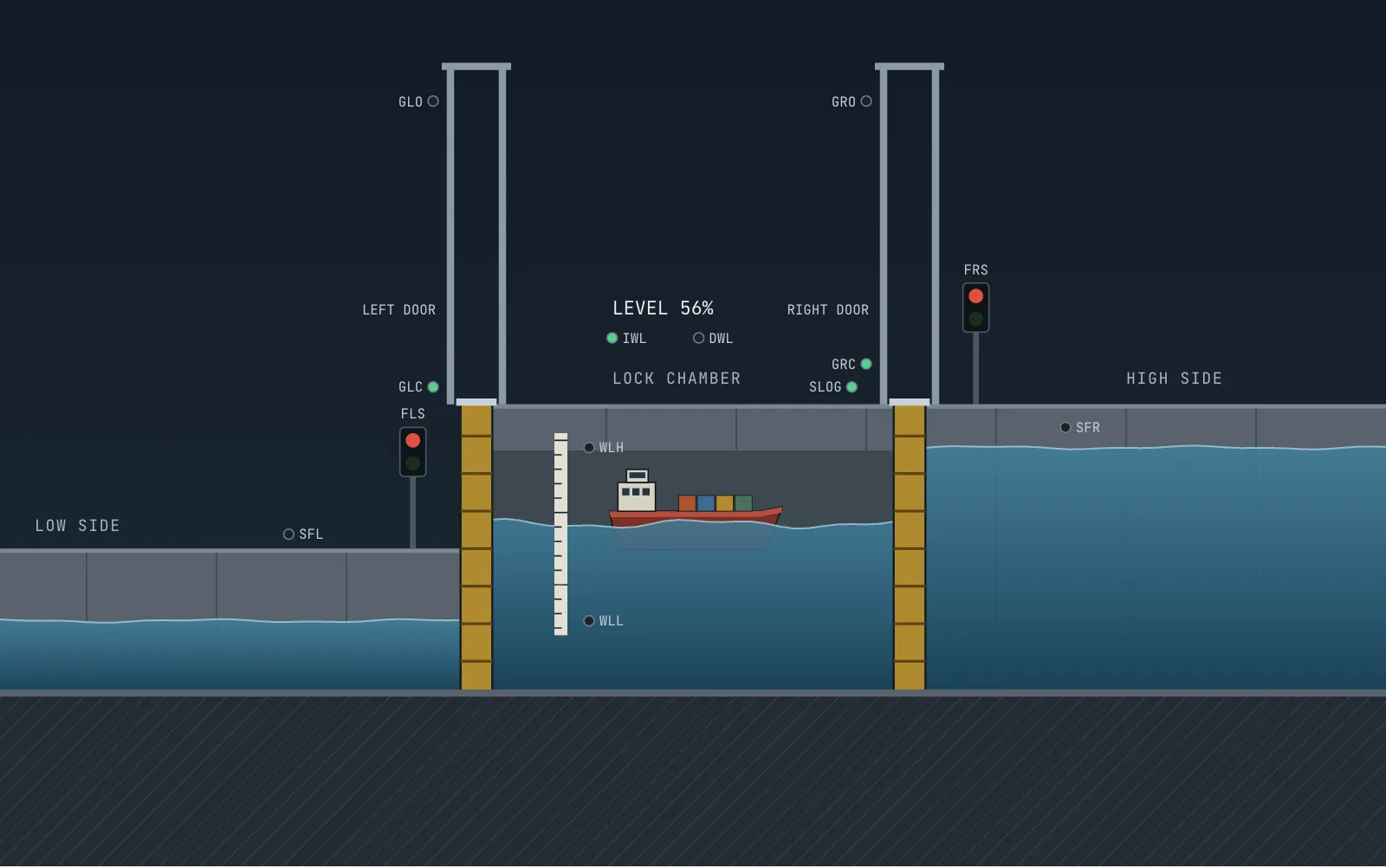
Choose a scenario and press Run. The gates, water and signs are driven only by the outputs of the two SQI and SQO sequencers.
Ready.
Inputs
Outputs
Logic
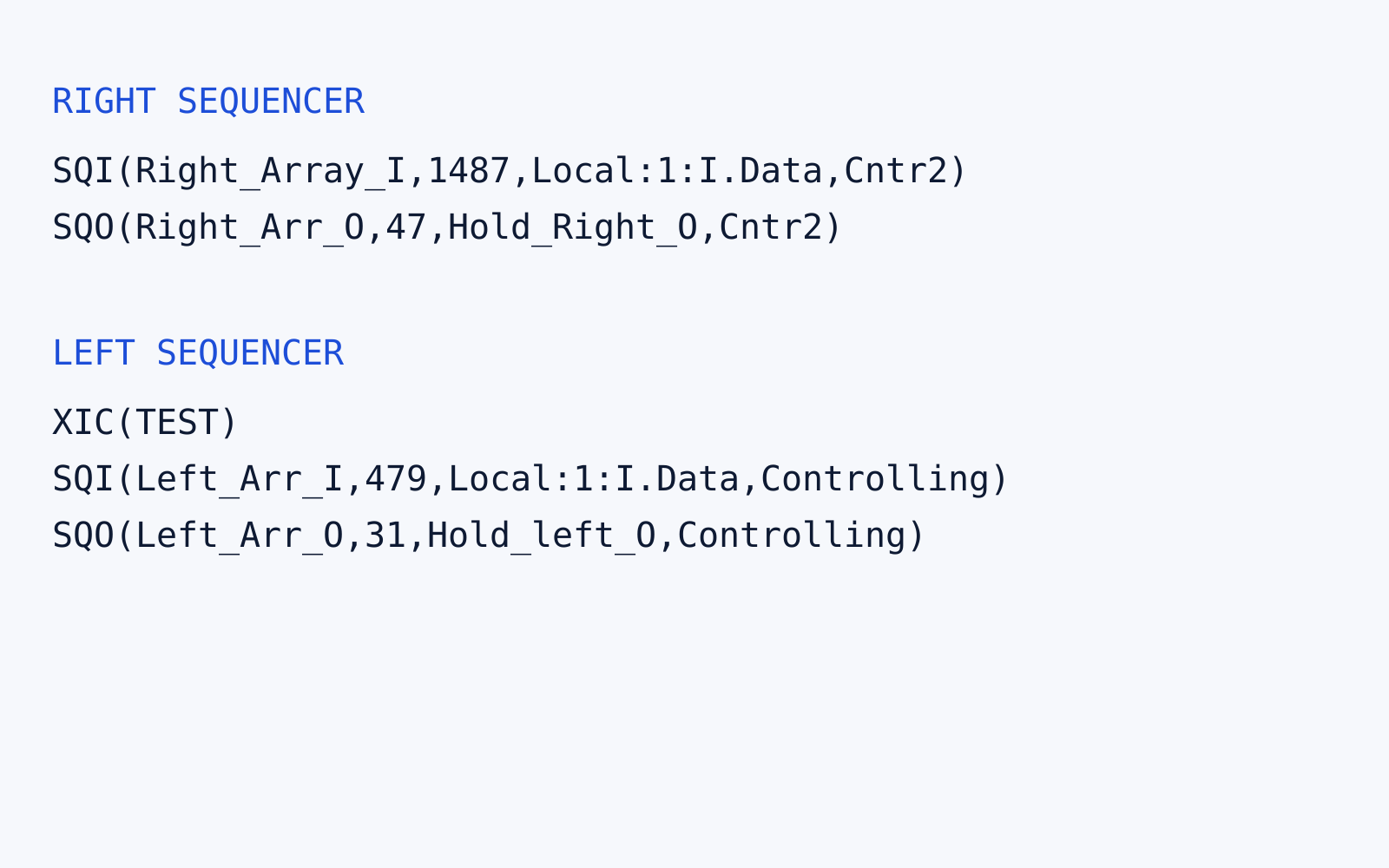
Original program
The rungs as saved, unchanged. The table above runs the same values.
RIGHT SEQUENCER
SQI(Right_Array_I,1487,Local:1:I.Data,Cntr2)
SQO(Right_Arr_O,47,Hold_Right_O,Cntr2)

LEFT SEQUENCER
XIC(TEST)
SQI(Left_Arr_I,479,Local:1:I.Data,Controlling)
SQO(Left_Arr_O,31,Hold_left_O,Controlling)
The simulator runs these rungs as they are. It adds one step: when the direction changes, it returns the water to mid level, because the tables start a new direction from there and have no step that does it.
Key numbers
- Sequencers
- 2, one per direction
- Steps
- 9 positions each
- Simulator
- Runs the real tables
Overview
This was a challenging program I wrote for CNTR 300. A lock moves ships between a low and a high water level by filling and emptying a chamber between two gates.
I no longer have photos of the panel, so I built this simulator from the program. It compares the lock’s inputs against the same tables on a fixed scan and shows every I/O point live, including which bit each step is waiting on. The machine is a model, and its timing is illustrative.
How it works
Two sequencers, one for each direction, compare the lock’s inputs against a table of expected states. When the inputs match, the sequencer steps forward and writes that step’s outputs to the gates, the water level valves, and the free signs.
| Step | Ship from the left | Input | Output | Ship from the right | Input | Output |
|---|---|---|---|---|---|---|
| 0 | Wait for a ship | 19 | 0 | Wait for a ship | 1027 | 0 |
| 1 | Lower the water | 23 | 8 | Raise the water | 1035 | 4 |
| 2 | Open the left gate | 150 | 1 | Open the right gate | 1289 | 2 |
| 3 | Free sign on, ship enters | 198 | 17 | Free sign on, ship enters | 329 | 34 |
| 4 | Close the gate | 71 | 0 | Close the gate | 75 | 0 |
| 5 | Raise the water | 75 | 4 | Lower the water | 71 | 8 |
| 6 | Open the right gate | 265 | 2 | Open the left gate | 134 | 1 |
| 7 | Close the right gate | 11 | 0 | Close the left gate | 7 | 0 |
| 8 | Wait for the next ship | 27 | 0 | Wait for the next ship | 1031 | 0 |
The sequencer table
I planned the sequencers in a spreadsheet, turning each step’s expected inputs and outputs into bits and then into the decimal values above. For example, step 0 on the left expects the left gate closed (1), the right gate closed (2), and a ship from the left (16), which adds up to 19. Masks of 479 and 1487 on the inputs, and 31 and 47 on the outputs, limit each sequencer to the bits it needs.
The saved rungs and tables are under Original program in the simulator, and they run unchanged. The simulator adds one step: when the direction changes, it returns the water to mid level, because the tables start a new direction from there and have no step that does it.
Download sequencer table (.xlsx)Download rung listing (.txt)